

Inside the build
What the code does for your site
Explore three short examples adapted from this website. Each file shows what the code does and why it matters for the people who use or run the site.
---
import { headlessCMSData } from "@lib/store";
import slugger from "slugger";

export function getStaticPaths() {
  return headlessCMSData.blogPosts.map((post) => ({
    params: {
      category: slugger(post.category),
      slug: post.slug,
    },
    props: { post },
  }));
}

const { post } = Astro.props;
---
<h1>{post.title}</h1>
01 / Page rendering
Send a finished page.
Astro turns each article into its own HTML page at build time. The browser can show the article without waiting for a client-side request to WordPress.
Explore headless WordPress developmentquery GetAllPosts($cursor: String) {
posts(first: 100, after: $cursor) {
edges {
node {
slug
title
excerpt
featuredImage {
node { mediaItemUrl altText }
}
}
}
pageInfo { hasNextPage endCursor }
}
}02 / Content delivery
Keep the editor your team knows.
Editors publish in WordPress. A GraphQL query brings the article fields and image descriptions the site needs into the build. The same content can feed the article page and related cards.
Explore headless CMS development# Build the site before publishing.
pnpm build
# Check the redirect and its destination.
site="https://redrockswebdevelopment.com"
path="/services/web-development/jamstack/"
curl -sSIL "$site$path"03 / Release checks
Check that old links still work.
When a page moves, we map the old path to its replacement. We check both responses so a bookmark, referral, or search result still leads to the right page.
See the launch checksField study / Garden of the Gods
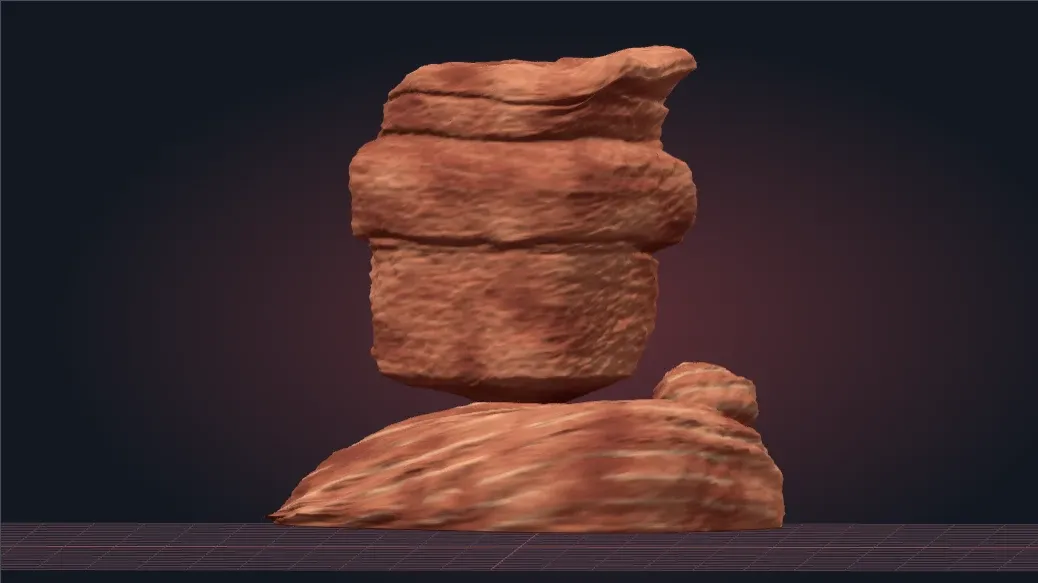
A closer look at Balanced Rock
We built this 3D study of the sandstone formation in Colorado Springs. A static image renders first. Where 3D is available, the model loads when the scene comes into view. Select Rotate model to start it.
That same approach works for product views and interactive diagrams: show the useful content first, then add depth where it helps.
Development scope
What we build
We start with what people need to do on the site, what editors need to update, and what your existing systems can support.
-
Custom Astro websites
Build marketing sites, service catalogs, and resource libraries that send ready-to-read HTML. Add JavaScript where the page needs an interaction.
Astro development services -
CMS and business websites
Regular WordPress can suit a familiar editor and common plugins. Headless WordPress or an Astro front end gives more control over publishing and delivery, with another deployment to maintain.
Headless WordPress development -
Website migration
Inventory existing URLs, content, and forms. Carry over the useful pages and configure redirects for paths that change. Check canonicals, analytics, and indexing signals after launch.
-
Custom integrations
Connect inquiries, catalogs, or internal workflows to your business systems. Agree on the data fields, access, error handling, and who acts when a handoff fails.
RevOps automation -
Ecommerce development
Plan the storefront around the catalog, payments, fulfillment, and the tools staff already use. Include platform fees, apps, and maintenance in the scope.
Ecommerce website development
Build / Review / Launch
Agree on the checks before we build
We write the acceptance checks into the scope so your team knows what to test in the preview.
-
Map content and URLs
Identify what moves, what stays, and where redirects go. Confirm the editor can publish a representative page or article.
-
Test the important paths
Walk through navigation with a keyboard and on mobile. Submit test inquiries to the agreed destination and verify expected integration behavior, including failure cases in scope.
-
Verify the launch
Review representative pages for accessibility and performance, verify redirects and metadata, and check analytics events. Record the test conditions so results can be compared later.
Ownership / Handoff
Know who runs the site after launch
The handoff covers editors, account owners, and anyone who supports the site.
Editor handoff
Review the publishing flow, reusable content, and the changes editors can make on their own.
Hosting and maintenance
Document where the site and data live, who has access, and how updates or rollbacks work. Agree on monitoring, backups, and response coverage if you want ongoing support.
Website managementScope / Budget
What changes the price?
A focused site with a standard CMS and contact form has a different scope from a migration with a large content library or a custom integration.
One-time development
We quote page templates, content volume, migrations, CMS setup, and integration testing. A written proposal states the deliverables and acceptance checks.
Ongoing costs
Hosting, platform or plugin licenses, API usage, and support are listed separately so your team can compare the cost to run each option.
Development FAQ
Questions before you build
A regular WordPress site can be the right choice for one editor, common plugins, and a simpler setup. We consider headless when a separate front end solves a specific delivery or integration need.
We preserve useful paths where possible and map redirects when they have to change. We verify the routes and sitemap after launch. Search rankings can still move during a migration.
Bring the current website, a list of the systems it needs to connect to, and examples of important pages or workflows. You can share access through the agreed channel once we’ve scoped the work.
If your team wants support with updates or monitoring, we offer flexible ongoing retainers to meet the specific needs of your business.
Do I need headless WordPress?
A regular WordPress site can be the right choice for one editor, common plugins, and a simpler setup. We consider headless when a separate front end solves a specific delivery or integration need.
Can you move a site without losing its existing URLs?
We preserve useful paths where possible and map redirects when they have to change. We verify the routes and sitemap after launch. Search rankings can still move during a migration.
What should I bring to a development consultation?
Bring the current website, a list of the systems it needs to connect to, and examples of important pages or workflows. You can share access through the agreed channel once we’ve scoped the work.
Can my team keep editing and maintaining the site?
If your team wants support with updates or monitoring, we offer flexible ongoing retainers to meet the specific needs of your business.